
For restaurants navigating the hustle of local competition, standing out in their community is more important than ever. While social media and digital marketing campaigns tend to take center stage, simple yet powerful tools like business cards continue to offer direct, tangible opportunities for discovery. With business card generators becoming more advanced and accessible, restaurants now have the ability to create custom, eye-catching cards that help them build local awareness effectively.
TLDR (Too Long, Didn’t Read)
Restaurants can use online business card generators to create engaging, branded cards to boost local visibility and customer retention. These tools simplify the design process, allowing eateries to present themselves professionally without needing a graphic designer. Business cards can be placed in strategic locations, given out with takeout, or used during events, making them cost-effective promotional tools. The key lies in combining compelling visuals, essential info, and a call to action to make lasting impressions.
The Power of Business Cards in a Digital World
In an age dominated by digital interactions, business cards might seem outdated—but for local restaurants, they remain highly relevant. Business cards provide a personal touch, create memorable first impressions, and continue to be one of the simplest forms of passive marketing. Whether handed out during a food festival, included in a takeout bag, or placed on communal bulletin boards, these little cards travel far in the local scene.
Furthermore, their compact nature allows current customers to easily pass them along to friends, adding an element of word-of-mouth referral that no paid ad can buy. For restaurants that value community-based branding, business cards are low-cost assets with high returns.
How Business Card Generators Help
Modern business card generators offer intuitive design interfaces, often requiring little to no design experience. With premade templates tailored for the food service industry, restaurant owners can quickly create cards that match their brand identity. These tools solve some key challenges:
- Affordability: No need to hire a designer—most platforms are free or budget-friendly.
- Customization: Choose fonts, colors, layouts, and imagery that reflect the restaurant’s vibe.
- Convenience: Work directly from a browser with real-time previews and downloadable files.
- Speed: Cards can be designed, printed, and delivered within a few days in many cases.
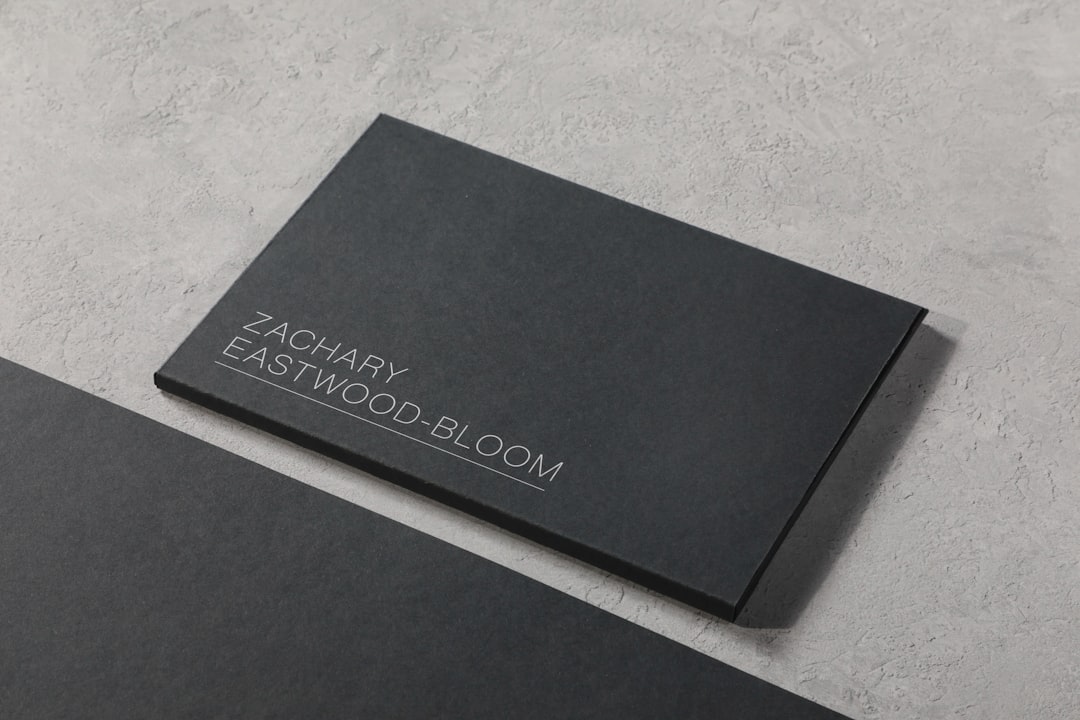
Restaurants can use these tools to produce not only standard contact cards but also promotional cards that include coupons, QR codes for menus, loyalty program info, or launch announcements for new menu items.
Key Elements of a Great Restaurant Business Card
Designing a good business card is more than just pasting a logo and a phone number on a rectangle. For restaurants, the card serves as a miniature billboard—it should entice potential customers while delivering vital contact information. Here are essential components:
- Logo and Name: This is your brand—make it prominent and legible.
- Tagline or Cuisine Description: Let people know what makes your restaurant special, e.g., “Authentic Thai Street Food” or “Farm-to-Table Burgers.”
- Contact Info: Include phone, website, and address. Make it easy to reserve a table or order food.
- Social Media Handles: Encourage further engagement by listing your Instagram or Facebook page.
- Special Offer or Call-to-Action: Add value to the card—perhaps a “10% off with this card” deal or a QR code leading to the menu.
Design should also reflect the restaurant’s personality. A cozy café might use warm tones and soft fonts, while a sleek sushi bar could lean into minimalist design and cool color palettes. Many business card generators allow users to upload their own images or logo files, giving full control over brand alignment.
Strategic Distribution: Where and How to Share Business Cards
Once cards are printed, placing them wisely in the local environment is key to building awareness. A box of beautiful business cards won’t do much sitting in a drawer. Restaurant owners should think both creatively and practically about where to place them:
- Local Businesses: Swap cards with nearby shops, gyms, salons, or coworking spaces.
- Chambers of Commerce and Community Boards: These hyper-local venues draw people looking to explore their neighborhoods.
- Food Delivery Bags: Add a card to each takeout or delivery order to encourage repeat visits.
- Public Events and Food Markets: A table or booth at a community fair is more effective with takeaway cards.
- Hotel Concierges: Visitors often rely on hotel recommendations—cards help make your restaurant the go-to local spot.
Popular Business Card Generator Platforms
For those new to design, several user-friendly platforms make business card creation simple and fast. Some of the most popular include:
- Canva: Offers drag-and-drop design, food-themed templates, and print options.
- Vistaprint: Combines design tools with professional printing and shipping services.
- Zazzle: Good for creative layouts and unique paper finishes.
- Adobe Express: Provides branded templates and real-time design editing.
Each of these platforms has free versions, with optional upgrades for more customization or printing services. They also allow easy exporting so restaurants can share a digital version of the card as needed.
Case Study: A Bistro’s Success with Cards
Take “Luna’s Garden Bistro,” a plant-based restaurant tucked in the suburbs. After struggling to drive traffic during lunch hours, they used a business card generator to create 500 elegantly designed cards featuring a 15% discount code. They partnered with a local boutique gym and yoga studio to display the cards. The result? Within two months, lunch reservations rose by 40%, and several recurring customers admitted finding them through the card alone.
This real-world impact demonstrates how business cards can bridge digital and physical marketing strategies.
Final Thoughts
Business card generators are more than just design tools—they’re affordable, effective, and easy-to-use marketing assets. For restaurants looking to build local awareness and organically grow foot traffic, creating and distributing business cards should be a core piece of their strategy. The right design, combined with strategic sharing, can help restaurants stay relevant and reachable in a competitive dining scene.
Frequently Asked Questions (FAQ)
-
Do restaurants still need business cards in the digital age?
Yes! Despite the rise of digital media, business cards remain an effective, personal way to share contact information and build local awareness. -
Which platform should I use to design my restaurant’s business cards?
Canva, Vistaprint, and Adobe Express are all solid options depending on your budget and needs. Canva and Adobe Express are great for DIY design, while Vistaprint handles printing. -
What should be included on a restaurant business card?
Essential elements include your logo, restaurant name, contact details, social media handles, and a call-to-action like a discount or QR code link. -
How much do business card generators cost?
Most platforms offer free design tools, with costs arising only if you pay for premium templates, custom assets, or professional printing. -
Where are the best places to distribute restaurant business cards?
Local shops, gyms, hotels, community boards, events, and takeout bags are all effective points for distribution.