
Creating high-quality content quickly is no longer just a nice skill to have—it is a competitive advantage. From bloggers and marketers to YouTubers and freelance writers, speed and quality must coexist. While many creators focus on large, well-known productivity apps, Redditors often spotlight lesser-known browser tools that dramatically streamline workflows. Hidden in niche threads across subreddits like r/Productivity, r/ContentCreation, and r/Entrepreneur are powerful browser-based tools that quietly shave hours off the creative process.
TLDR: Reddit users consistently recommend a handful of underrated browser tools that significantly speed up content creation. These tools improve research, writing accuracy, visual capture, workflow automation, and focus without adding complexity. From smart screenshot apps to AI-powered summarizers and distraction blockers, each one tackles a common bottleneck. When combined strategically, they can cut production time while improving quality.
Below are six “hidden” browser tools Redditors swear by to help them create better content in less time.
1. Glasp – Smarter Research Highlighting
Research often consumes more time than actual writing. Glasp, a browser extension frequently recommended in productivity-focused Reddit threads, allows you to highlight and annotate web content while automatically organizing those highlights for later review.
What makes Glasp especially valuable:
- Centralized highlights from multiple websites, eliminating scattered notes.
- Exportable summaries that can be transferred directly into writing tools.
- AI-assisted summarization of long-form articles.
Instead of juggling screenshots, copied links, and disconnected notes, creators build a searchable knowledge library as they browse. For bloggers and newsletter writers, this tool shortens research time dramatically and reduces the cognitive load of organizing information.
Reddit insight: Many users say that the real power lies not in the highlighting itself, but in revisiting past research quickly when creating related content later.
2. Text Blaze – Dynamic Snippets That Save Hours
If you find yourself typing similar phrases repeatedly—email introductions, YouTube descriptions, disclosure statements, outlines—Text Blaze can be a game changer. This lightweight browser extension lets you create custom text snippets triggered by short commands.
For example:
- Typing /intro could generate a pre-written blog introduction template.
- /cta might expand into a polished call-to-action paragraph.
- /outline could insert a full article structure.
Reddit creators emphasize its dynamic form fields, which allow you to customize inserted content on the fly. Instead of copying and pasting from documents, everything happens directly inside your browser.
Why it speeds things up:
- Reduces repetitive typing.
- Maintains brand consistency.
- Prevents small errors in recurring sections.
For freelancers managing multiple clients, Text Blaze helps maintain voice variations for different brands without memorizing rules each time.
3. GoFullPage – Instant Full-Page Screenshots
Content creators frequently need visual references—whether for case studies, tutorials, competitor analysis, or social media graphics. GoFullPage is a deceptively simple browser extension that captures entire web pages in a single click.
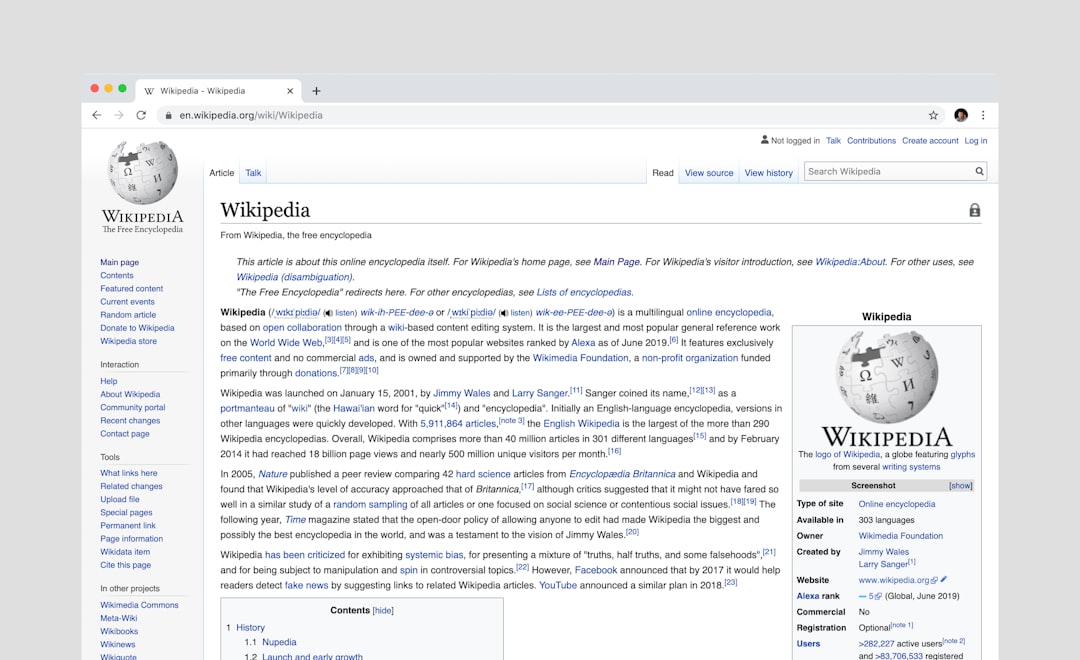
Redditors point out that built-in screenshot tools often fail to capture full-page content smoothly. GoFullPage stitches the entire layout automatically, saving scroll-and-edit time.
It is especially helpful for:
- Tutorial creators documenting processes.
- Marketers archiving landing pages before updates.
- Writers referencing long-form competitors’ posts offline.
The time savings add up quickly. Instead of manually cropping and aligning multiple images, creators get a single polished file ready for annotation.
4. Mercury Reader – Distraction-Free Research
Online research can quickly become chaotic. Ads, pop-ups, videos, and sidebar promotions drain attention and slow reading speed. Mercury Reader strips away all unnecessary on-page distractions and transforms articles into clean, readable formats.
Reddit users frequently mention this tool as a “mental declutter” extension. By simplifying web pages, it allows creators to:
- Read faster without visual interruptions.
- Copy clean text directly into writing documents.
- Focus on substance rather than layout clutter.
For anyone writing research-heavy articles, this extension reduces fatigue and shortens information extraction time. When you consume information faster, you produce content faster.
It also pairs particularly well with highlighting tools like Glasp, creating a streamlined research pipeline.
5. Loom – Rapid Explanation Recording
While commonly known in startup environments, Loom is surprisingly underused among solo content creators. Redditors repeatedly highlight how quickly it allows users to record screen-based explanations without editing software.
Why this matters for content creators:
- Create instant tutorials without complex setups.
- Record rough drafts of video ideas.
- Capture client feedback visually instead of writing long emails.
Many creators use Loom as a drafting tool. Instead of staring at a blank page, they verbally explain a topic while recording their screen. Later, they transcribe the explanation into a blog or script. This technique bypasses writer’s block and speeds up idea development.
Reddit tip: Several users recommend pairing Loom with transcription software to instantly convert recorded thought processes into editable written drafts.
6. StayFocusd – Controlled Distraction Management
Speed is not only about adding tools—it is also about removing obstacles. StayFocusd is a browser extension that limits access to distracting websites during set periods.
Unlike basic blockers, it allows detailed customization:
- Time-restricted browsing windows.
- Daily usage caps on specific sites.
- Challenge-based overrides to discourage impulsive access.
Reddit creators often mention that distraction, not workload, is their primary time drain. By blocking high-temptation sites—social media feeds, forums, or news websites—during content production sessions, they dramatically shorten completion time.
This approach aligns with a larger productivity principle: environment design beats willpower. Managing your browser ecosystem prevents workflow fragmentation.
How These Tools Work Together
Individually, each tool solves a specific bottleneck. Combined, they form a high-efficiency content creation system:
- Mercury Reader simplifies research consumption.
- Glasp organizes insights for later use.
- GoFullPage captures visual references instantly.
- Loom accelerates idea drafting.
- Text Blaze speeds repetitive writing.
- StayFocusd protects focused work time.
This layered approach reflects what many Redditors emphasize: productivity is not about a single miracle tool, but about removing micro-frictions at every stage of the creative process.
Why Browser-Based Tools Are So Effective
One recurring theme on Reddit is that browser tools integrate naturally into existing workflows. Content creators already spend most of their working hours inside browsers—researching, writing in web apps, managing social accounts, or uploading content.
Unlike standalone software that requires switching contexts, browser tools:
- Operate directly where work happens.
- Add minimal setup time.
- Avoid overwhelming dashboards.
This low-friction integration is precisely what speeds up production. Each action—highlighting, capturing, inserting text, blocking distractions—happens in real time without breaking momentum.
Final Thoughts
Content creation often feels slow because of hidden inefficiencies: scattered notes, repetitive typing, distracted research, and manual processes. Reddit communities frequently uncover overlooked browser extensions that quietly eliminate these obstacles.
The six tools covered here are not flashy or overly complex. They are subtle accelerators designed to streamline specific steps in the creative workflow. When thoughtfully combined, they reduce both time investment and mental strain.
Ultimately, faster content creation is not about rushing. It is about building systems that support creativity instead of slowing it down. By adopting even two or three of these browser tools, creators can reclaim hours each week—time that can be reinvested into deeper research, more thoughtful storytelling, and higher-quality production.
And perhaps that is the core insight Redditors repeatedly share: the best productivity gains often come from small, smart tweaks—not massive overhauls.