

Managing online health subscriptions requires attention to detail, especially when billing is automated and recurring. Ro, a popular telehealth platform offering treatments for hair loss, erectile dysfunction, skincare, weight loss, and more, operates primarily on a subscription-based model. If you no longer need the service—or simply want to avoid unexpected renewals—it’s essential to understand the correct cancellation steps.
TLDR: Ro subscriptions renew automatically, so cancellation must be completed before your next billing date to avoid charges. Log in to your Ro account, navigate to your plan settings, and follow the cancellation prompts—confirmation is critical. If cancellation is not processed properly, you may still be billed. Always retain confirmation emails and contact customer support immediately if issues arise.
Understanding How Ro Subscriptions Work
Before canceling, it’s important to understand how Ro structures its billing. Most Ro treatments are based on subscription plans that automatically renew on a set schedule—typically monthly or quarterly. Medication refills and consultations may be included depending on your plan, and charges are processed automatically using the payment method on file.

Key characteristics of Ro subscriptions:
- Auto-renewal: Plans renew without manual approval unless canceled.
- Advance billing: Charges are often processed before the medication ships.
- Shipment triggers billing: Once your medication ships, refunds are generally limited.
- Digital management: All changes must typically be handled through your online account.
Because of this structure, timing is critical. Waiting until the last minute can result in another billing cycle.
When Should You Cancel?
To avoid being charged for the next cycle, cancel at least several days before your next billing date. Your exact renewal date can be found in your account dashboard under subscription or plan details.
Situations when cancellation may be appropriate:
- You no longer need the prescribed medication.
- You want to switch providers.
- You are experiencing side effects.
- You want to pause treatment temporarily.
- Your financial situation has changed.
Important: If you are stopping prescription medication, consider consulting a healthcare provider first to avoid medical risks.
Step-by-Step: How to Cancel Your Ro Subscription
Follow these steps carefully to ensure cancellation is processed correctly.
1. Log Into Your Ro Account
Visit the official Ro website and sign in using your registered email and password. If you’ve forgotten your login details, use the password reset option before proceeding.
2. Navigate to Subscription Settings
Once logged in:
- Go to Account Settings
- Select Manage Subscription or My Plan
- Locate the active treatment plan you wish to cancel
Depending on updates to the website interface, wording may differ slightly, but subscription management is typically clearly labeled.
3. Select Cancel or Pause
You may see multiple options:
- Cancel subscription
- Pause shipments
- Modify delivery frequency
Select “Cancel” if you want to permanently stop recurring billing. If you only need a temporary break, pausing may be sufficient.
4. Complete All Confirmation Steps
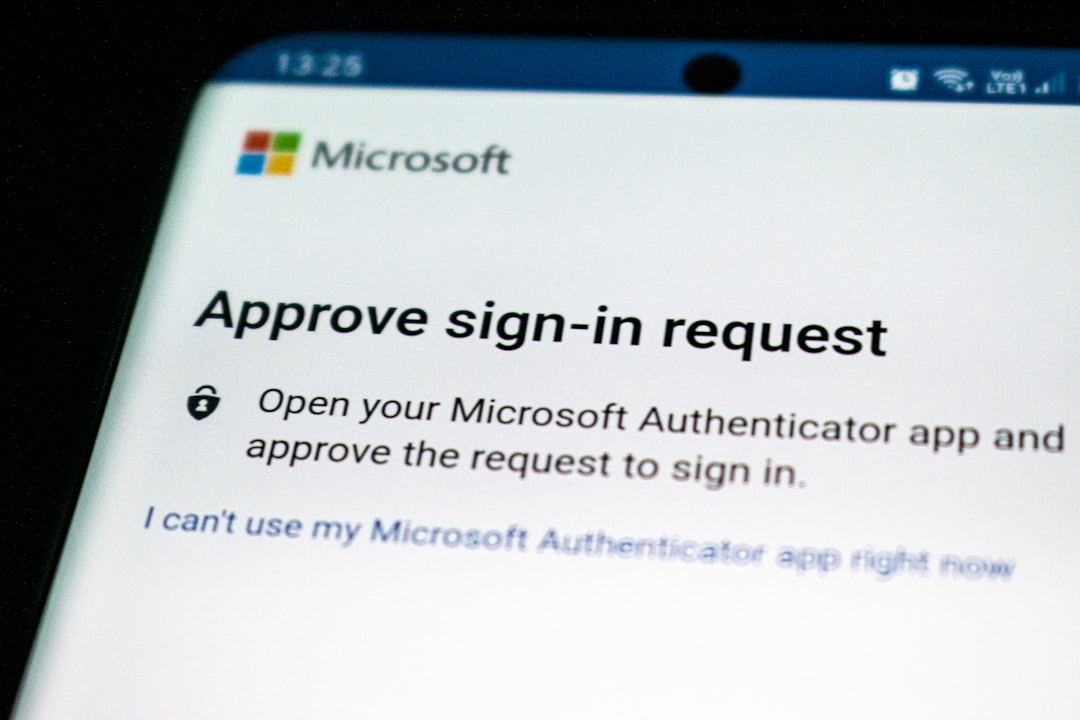
Many subscription services include multiple confirmation screens. Do not exit until you receive clear confirmation that your subscription has been canceled.
You should receive:
- An on-screen confirmation message
- A confirmation email
If you do not receive a confirmation email within a few minutes, check your spam folder.
How to Avoid Accidental Charges
Even when users believe they have canceled, charges sometimes occur. To protect yourself:
- Cancel early: Do not wait until the billing date.
- Take screenshots: Capture cancellation confirmation screens.
- Save emails: Retain confirmation emails for your records.
- Monitor your bank account: Check for pending charges.
- Remove payment methods only after confirmation: Removing a card does not always cancel a subscription.
Remember that simply closing your browser or uninstalling the app does not cancel your plan.
What If You Were Already Charged?
If a charge has already been processed, act immediately.
Step 1: Contact Ro Customer Support
Use the official support channel through your account dashboard. Provide:
- Your full name
- Email associated with the account
- Order number (if available)
- Date of cancellation attempt
Be professional and concise. Clear communication often speeds resolution.
Step 2: Review Refund Policies
Refund eligibility may depend on:
- Whether medication has shipped
- The specific treatment plan
- State pharmacy regulations
Prescription medications that have already been dispensed are often non-refundable due to regulatory guidelines.
Step 3: Escalate if Necessary
If you believe you were billed in error and customer service does not resolve the situation, you may:
- Request escalation within Ro support
- Contact your bank for a dispute (if justified)
Note: Filing a chargeback should be a last resort and used only if legitimate cancellation was completed before billing.
Cancellation Methods Comparison
Depending on your situation, you may have more than one way to manage your subscription. The table below compares available methods.
| Method | Speed | Confirmation Provided | Risk Level | Recommended? |
|---|---|---|---|---|
| Online Account Dashboard | Immediate | On-screen and email | Low (if completed fully) | Yes – Primary method |
| Customer Support Message | 24–72 hours | Email response | Medium (timing dependent) | Use if online option fails |
| Bank Dispute | Several days | Bank documentation | High | Last resort only |
Common Mistakes People Make
Many unwanted charges stem from preventable errors. Avoid these common mistakes:
- Assuming deleting the app cancels the subscription
- Canceling after shipment processing begins
- Ignoring reminder emails about upcoming refills
- Failing to review renewal frequency
- Not checking spam folders for confirmation emails
Careful documentation and early action significantly reduce risk.
Can You Pause Instead of Cancel?
If you anticipate needing treatment again, pausing might be a practical alternative. Some users cancel prematurely and later restart, which can require a new consultation or updated medical review.
Pausing may offer:
- Temporary billing suspension
- Easier reactivation
- Continued access to your account history
However, always review the specific pause terms within your plan, as policies may vary depending on the treatment type.
Medical Considerations Before Stopping
Ro provides prescription-based treatments, which means cancellation decisions can impact your health. Some medications, particularly those managing chronic conditions, should not be stopped abruptly without medical guidance.
If you are unsure:
- Message your Ro provider through the platform.
- Consult your primary care physician.
- Ask about tapering schedules if applicable.
Your financial decision should not compromise your medical safety.
Final Checklist Before You Log Out
Before considering the cancellation complete, confirm the following:
- Cancellation completed through the dashboard
- On-screen confirmation received
- Email confirmation saved
- Next billing date reviewed
- No pending shipments listed
If all five boxes are checked, your risk of unexpected charges is minimal.
Conclusion
Canceling your Ro subscription is straightforward when handled proactively. The key elements are timing, thorough confirmation, and documentation. Because Ro operates as an automated recurring service tied to prescription fulfillment, delays can result in unavoidable charges once shipments are processed.
A careful, structured approach—logging in early, canceling properly, confirming completion, and monitoring your bank statements—protects you from unnecessary costs. When in doubt, contact customer support promptly and maintain clear records. Financial awareness combined with responsible healthcare management ensures you stay in control of both your treatment and your expenses.